
If you run your own small business, you probably use social media sites to promote your products or services. We all know that Search Engine Optimization (SEO) is important in promoting your website and blog content, but what about HASHTAGS? Do they help?

What are hashtags?
Originally hashtags were used to help filter and organise conversations on Twitter, but they are now used on all social media platforms. A hashtag is the sign # followed by a phrase such as marketing, so would be #marketing. It’s a category that posts relating to that subject can be streamed into; anyone can use it for their content, be it a blog post, Instagram or Facebook post.
How can I use hashtags on social media?
A really easy way to get started is by using popular hashtags. One hashtag that I see regularly on Facebook and Instagram is #throwbackthursday or #tbt. This is used as a weekly theme by some Facebook groups where people and brands share posts, or experiences from the past. For example, they may post their first ever product.
There are different hashtags depending on what niche your business is in. For example if you are in the fitness business, you might use #fitnesstips #fitinspiration or #gymspiration to name a few….or if you are in marketing, you could use #marketingtips #marketingstrategy. There are thousands to choose from and research on what are the best hashtags for you to use for your business is crucial. If you go into Instagram and click on the search icon, you can type in a hashtag you think would suit your business – for me it might be #marketingtips. Then that hashtag group comes up, with hundreds of the most popular posts that have used that particular hashtag. Doing your research in this way can help you to decide which hashtags to use (if you are a small business with a small to moderate following, you don’t want to use a hashtag that has over a million posts, as your post is unlikely to be ranked under that hashtag. I try to stick to a variety, some that are under 50k – some 50k-100k – some 100k-500k and then others that are over 500k posts up to 1 million.
How many hashtags should I use?
How many you use depends on what social media platform you are posting on.
- X (formerly Twitter) allows space for hashtags, but advise using no more than two.
- Facebook advises using between three and five.
- Instagram – you can use up to 30 hashtags, but most accounts use around the 10 mark. It’s up to you – I tend to stick to between 3 and 5.
- TikTok don’t really advise hashtags as they can look spammy, but if you do, no more than three to five – but they should be used with purpose.
- LinkedIn advises a maximum of three per post.
- Pinterest state you can use up to 20 hashtags per Pin description, but it is advisable to use no more than 10.

So what do hashtags do for my business?
Hashtags are a great way to build your brand, boost a marketing campaign or sales campaign, and launch a competition or to just keep in touch with your target audience.
Using hashtags on Instagram and Facebook can really increase awareness of your business and engagement with you and your products/services.
They are an effective way to build your brand, for example use them to launch new products/services, share your promotional material or for just generating interest in what you do.
Hashtags are also great for creating a buzz with your website, spreading news and information about new products, events that you’re involved in or just creating hype for your business.
How do I find the right hashtag words?
It really is as simple as putting a search into Google. Just type in ‘popular hashtags for XXXXX’ whatever business you’re in – fitness, food, crafts, artist, and so on… a list of hashtags will come up. If you are using them on Instagram, as soon as you type the first hashtag, you will also see a list of other similar tags which you can also use. Try and avoid really long hashtags. When writing posts using hashtags, don’t forget to put links to your website as this will encourage more traffic.
Can hashtags help me find my target audience?
Yes, they can! For the purpose of this question, I’m going to talk about Instagram.
When you’re posting for your particular niche or business, you need to find the keywords that will be specific to your business. So, a generic term like ‘photographer’ or ‘blogger’ just won’t cut the mustard. You need people to be able to find out more about you, so for example on my Instagram account, I will post #marketingincharente as I am a Marketing Consultant and I live in the Charente…you get the idea! Or if you are a café, you could specify something on your menu, #fullenglishbreakfast and maybe the town you’re in. It’s more specific.
Being specific is what will help your target audience find you.

How should I use my hashtags?
Use a mix of hashtags on your posts to give yourself the best chance of being discovered and getting ranked on that particular hashtag. Here are some examples of the kinds of hashtag categories you can use:
- Your industry – #smallbusiness #handmadebusiness
- What you sell – #candles #babyclothes #smallbizmarketing
- Your specialty – #vegancandles #naturalfabrics #marketingtips
- Who wants to buy – #homedecor #babyshower #socialmediastrategy
- Location – #candleslondon #babyclothesuk #marketingcharente
- Event hashtags – #mothersday
- Daily hashtags – #manicmonday #throwbackthursday
The reason you use all these different types of hashtags is to keep your content in view for as long as possible. The most popular will bring a brief flurry of activity, then the moderately popular hashtags will kick in and your content will stay active on those for a few hours. Then your more niche specific hashtags will be noticed.
Of course, you will also receive activity from your followers, so you are still reaching out to your existing potential customers, as well as new ones.
Can I set up my own hashtag?
The simple answer is ‘yes, you can!’
But, there is a but! You cannot legally own a hashtag. If you find one that hasn’t been used, which will take a lot of research, you can register it. However, even registering the hashtag will not stop other people from using it – it’s not like owning a website domain. Registering just means you’ve staked a claim to that hashtag and adds you to the hashtag directory, where you can go into a bit more detail as to what the hashtag is for…you can write a description.
How do I register my hashtag?
Once you have found a new hashtag relevant to your business, you can register it on sites like Hashtags.org
As soon as you have registered it, use your hashtag ALL THE TIME! Use it a lot…as much as you can! At first you will be the only one using it, but after time you will find others using it for articles, posts or blogs that talk about the same subject.
Do hashtags help with SEO?
Again, the simple answer is ‘yes’. Hashtags are basically keywords, so they help you to categorise your content and help social media users to find it. Using hashtags in your social media posts will give you more opportunities to have your content in Google search results.
Finally, just be aware that hashtag use varies greatly with each social media platform so you need to be mindful of which platform you’re on!
Happy Hashtag Hunting! Let me know how you get on, and if you find hashtag research all a bit overwhelming, give me a shout and I can help you with your hashtag strategy.

 the title tags and meta descriptions help the search engine understand the content of that page and the title tag and meta description is what is shown in blue link in the search results.
 Every page on your website needs a unique title tag – avoid duplication
 As a general rule, you would use Categories to group the content on your website or blog into eight to ten segments. For example on my blog, some of the categories are Marketing, Small business tips, SEO, Customer Service.
 A URL is your web address, for example,

 These are tasks that take longer than you thought they would, or tasks that have a high risk of procrastination or distraction. Once you can identify these, you can allocate a set amount of time to doing them each day, so you concentrate on just that task and get it done – with a time constraint, there is less chance of being distracted or of taking too long to do it. Tasks could include email, phone calls, meetings and breaks – they are not productive, so give them a limit.
 giving any one task your full attention. This can lead to having to revisit tasks as you forgot to do something or made a careless error. In turn, this ends up wasting you more time having to revisit. Turn off email and your phone so you can’t receive messages and emails whilst you’re focusing on a particular task. And put your phone onto answer phone with a message that says you’re busy right now but leave a message and you’ll get back to them within a certain amount of time – could be an hour or just half an hour – whilst you concentrate on getting an important task finished.
 you time to focus on the important stuff. Hire someone to either do the mundane stuff that you really don’t have time for, or for the more complicated things that you don’t know how to do, or that you know will take you too long as you’re not experienced in that area. You can also delegate or outsource tasks you absolutely hate doing. There is nothing wrong in delegating or outsourcing; it simply gives you more time to do the things you enjoy or that need to have your undivided attention.
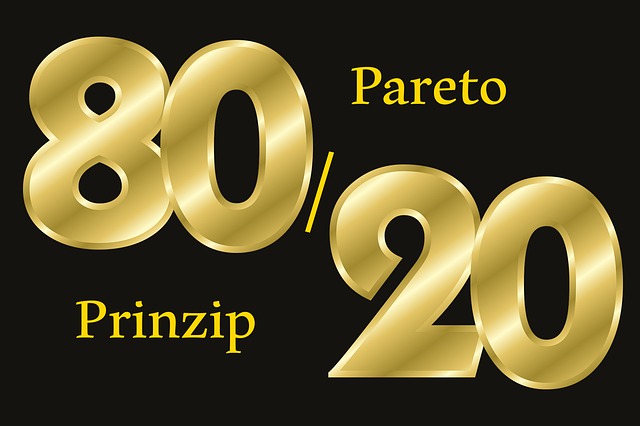 The US President Dwight Eisenhower once said, “What is important is seldom urgent and what is urgent is seldom important.” This is where the 80/20 rule (or Pareto principle) can help…80% of results come from 20% of effort, so it’s important to look at your list of tasks and decide what is actually important and just requires a bit of attention. Spend most of your time on the critical 20% and less on the rest…even if it does seem urgent.
 after a tomato shaped timer (pomodoro is Italian for tomato). You set the timer for 25 minutes, work solidly until the timer sounds, then give yourself a 5 minute break before going back to do another task for 25 minutes. This is a great technique if you struggle with focusing on a task or structuring your time. This is a great method to use if you want to ensure you only devote a certain amount of time to one task or if you have trouble focussing.
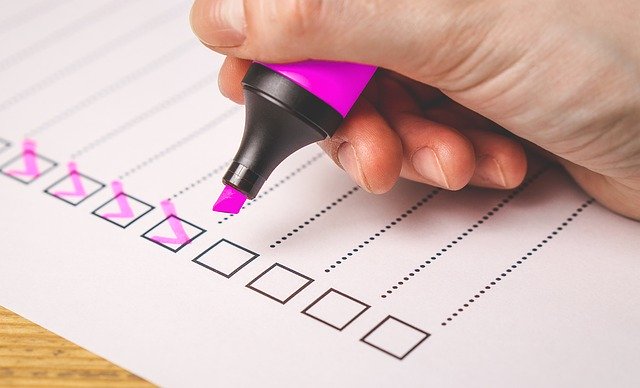 hours a week to plan what you will achieve the following week – set yourself achievable goals by writing a ‘to do’ list – It’s such a good feeling to tick off the items on the list and to feel you have achieved something. And, make sure that your goals are






 Data Controller – the person who decides how and why personal data is collected. This is usually the business owner, as in my case. This person must ensure that the business is compliant, including transparency, data storage, data confidentiality and accuracy of data collected and stored. The Data Controller is also responsible for reporting to the Information Commissioner’s Office (ICO) if a data breach occurs or if data is lost or stolen from your business..or report to CNIL if you are in France.
 what personal information you want to collect and why, and how it will be used. The individual must agree and if they don’t, you must not collect and store their data under any circumstances. This includes conditional data collection, such as where you offer a freebie on your website to get people to sign up to your newsletter and then use that data for marketing your products or services.
 For us small businesses, you need to have a policy that states how long you will keep a customer’s data if they are not continuously engaging with your business. For example you could say that any data you hold will be deleted after 12 months, if that customer has not engaged with your business during that 12 month period.
 and email address, to any references made to them in email messages, websites, electronic notes etc. If you’re a small business, this won’t be too difficult, but for huge businesses, it would be very time consuming to go through hundreds of documents and data entries. That’s why it’s so important to know what you hold on your customers and where. If a customer makes a SAR, you have 30 days to comply, so good to have a plan in place.
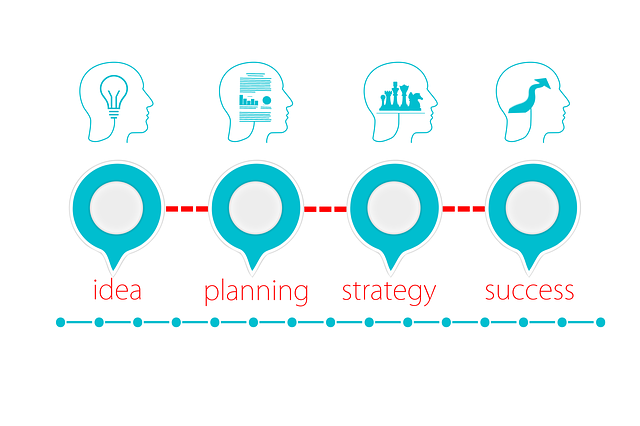

 To ascertain your business goals or milestones. Your business plan will make you think about what you want to achieve with your business and where you see yourself in a year’s time… in five years’ time or more. You can plan not only your long-term goals, but also some quick wins and short term plans. They are significant events that you want to achieve, such as building a website, launching new products/services, producing a brochure and also things like getting your first 100 or 1000 followers on social media.
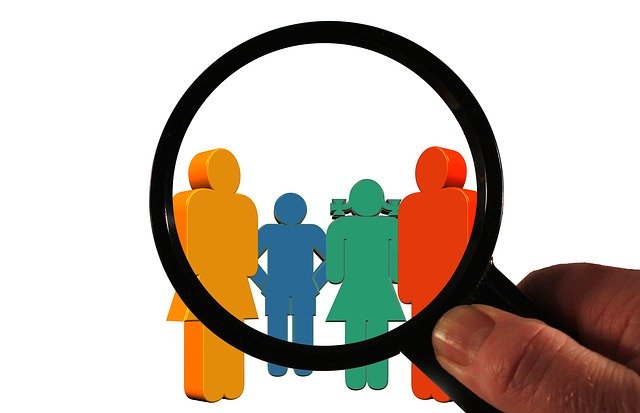 To understand and know your customers. Planning makes you look at your customers; who are they? Why do they buy your products and why do they buy when they do? Do they belong to an average age group or geographic region? An in-depth customer analysis will help you understand what makes your customers tick and how you can better serve them and give them what they want.
 To determine your financial needs. Do you need to raise money to buy stock and how are you going to do this? Are there training opportunities for you, so you can learn more about what you do, that incur a cost? How will you factor this in? If you need a big financial injection, you will need to look at loans or investors…your plan will then need to be very specific around how you will be able to afford this kind of investment and what your return will be.
 To pinpoint your brand. Creating a business plan makes you focus on what your brand is; helps you describe your business succinctly and decide how you will position your brand to your customers and target market.

 SEO – or search engine optimization. This is the process of increasing traffic to your website. This includes using the right keywords, your social media presence, references to your website from external sites, to name a few. In 2020, this is going to be vital to keep ahead of your competition.
 Content marketing – this is about blog posts, e-books, infographics, videos etc. that you share digitally. The goal of content marketing is to entice users to view your content and take action, clicking your call to action button. For example, you might write a blog post about ‘How to insulate your house for winter’. The call to action button might be ‘Contact us to get a free quote to insulate your house this winter.’ And research is showing that rather than having lots of short blog posts, people prefer longer, more relevant information that answers their questions and is of value to them.
 Voice Search – By 2020 it is expected that voice search will account for half of all Google searches. So how do you make sure your business is found? Good SEO will help, but it might be a good idea to create an FAQ page on your website answering questions that people might ask about your products or services. Make the questions sound the way that people talk. For example, if you own a fish and chip shop, people are more likely to ask ‘what chip shop is open right now?’ rather than the way they’d type a search into a search engine…opening times of fish and chip shop.
 Online Video – Today’s generation prefer to view video footage to get answers to everything they want to know. YouTube is the second most popular website, pipped at the post only by Google. Videos that show someone how to do something, help solve their problems, etc. is definitely the way to go in 2020.
 No matter what channel you use, have a business page and plan what you are going to do and when. Try and plan a host of different posts to keep your customers coming back for more. Use video, audio with pictures, product posts, competitions, polls, quotes, funny stuff and serious stuff. Make things as visual as possible and plan to post regularly and consistently. You can look at your insights to find out who looks at your posts and when is the best time for you to post. Plan to post at least three times a week, more for visual channels like Instagram.
 Christmas is the season of giving and all over the world, people get excited about everything that surrounds this magical time of year. So, let FB be your ‘Santa’s little helper’ and get started now on your Christmas campaign.
 You will have your unique brand for your products or services, but it’s a good idea to look at branding your products for Christmas and apply that branding to your FB posts and your website/blog. Famous brands do this every year, for example, television programmes such as Dr Who, will have a Christmas special episode, fast food outlets will use Christmas themed wrappings for their burgers, pizza etc. and there will always be a popular musician who will release a Christmas album, such as Cliff Richard! Everyone jumps on the bandwagon at Christmas, so why shouldn’t you too?
 Offer gift cards so customers can buy a gift card to give to family and friends.
 example, if you are a restaurant, you could share your Chef’s favourite Christmas dish, dessert or menu; Hairdressers can share easy to do hairstyles for Christmas parties; Beauticians can offer special packages so your body/face/nails/feet etc. are ‘Christmas ready’!; If you sell make-up, you can push your glittery make-up or maybe publish a video on how to do your Christmas party make-up. You get the idea!


 The CTA is really important as it’s your opportunity to get your reader to stay in touch with you, stick around, and come back to your site again. So you need to give them a reason to do this. Asking them to subscribe to something ensures that you can keep in touch with them. If you send out a newsletter, this is a great way to let them know about your business on a regular basis, tell them about new blogs, new products or services, special offers etc. etc. But please don’t do what a lot of people do and bug your readers with emails two or three times a day. When I subscribe to a website, I’ll soon unsubscribe if they bombard my inbox with the same email over and over again. I don’t mind having an email trying to sell me a course that is relevant to me, of course I don’t, but to have the same course being pushed day after day, with just slightly different wording, really irritates me. Maybe an email once a week for the first few weeks, then I’m happy with once a month. I find that if I get something once a month, I’m more likely to read it and click on any links. If someone bombards me every day, they become wallpaper and I end up just deleting them without even reading them.


 Have a go yourself, just log into Google and type in ‘Images of cats’ for example…then click on one of the images. Yes, you can copy and paste the image…it doesn’t stop you from doing so, but it is illegal. If you look at the image you have clicked on, there is a caption under it saying, “Images may be subject to copyright.” It is up to you to check before you use anyone’s photo. However I found this was a bit of a hassle, because it can take a lot of research, going to page to page, until you find the information you are after.
 These are the kind of images I now use on my blog and for some of my website images.
 The Write Way