Marketing your business with little to no budget

When you run your own small business, there is often little money left for a marketing budget, which can make marketing a bit of a challenge. But there are many ways that you can market your business to your target market without spending any money.

Having read a lot recently on social media about small businesses really feeling the pinch at the moment, I thought I’d have a look around to see what free marketing ideas there are out there.

I hope that these help you…

  • Create a free Google Business Profile. This is free to set up and you can add photos and updates with links to your blog posts or social media pages. It’s more of a local tool, so helps your business get found locally pinpointing you on Google Maps, as well as allowing a link to your website.  Your customers can also add reviews to your Google Business Profile.
  • Social media – Most of us have business accounts on Facebook and Instagram, and some of your will also have TikTok accounts, LinkedIn, Pinterest, X or one of the many other sites. Facebook still seems to be the most popular go-to place for people to search businesses. This is a great way to showcase your products and services, engage with your target market and find new communities to join and network with.
    Post regularly and consistently (it doesn’t have to be every day, so long as you are consistent). Share your human side, articles of interest, inspirational quotes, hobbies etc and as always my advice is the 80/20 rule. Share 80% entertaining, engaging, educational or inspirational posts and 20% selling.
  • Use hashtags – yes, these still work, so long as you don’t overdo it. The recommended number of hashtags used to be 30 per post, but these days it is advised to use around five. Use your own personal hashtag is you have one (or set one up) and use a variety of local and more general hashtags. Don’t go for hashtags that have millions of followers, or you won’t be seen – choose a variety between low and high figures. I personally wouldn’t recommend using those with over a million followers.
  • LinkedIn – this is one we often overlook and I’m just as guilty as the next person, but something I am going to try and do more of for the rest of this year. LinkedIn is a huge social media site – most use it to just add network connections, but you can share your blog posts and offers, talk about your business, have a conversation with the connections you make and join relevant forums and contribute to them – and you can share other businesses’ content.
  • Email marketing – this is a great way to get customers and potential customers engaged with your business. It’s a great place to build and maintain relationships. It’s not a new thing, but it is still one of THE MOST reliable ways to achieve new customers and maintain existing ones.
    There are free plans out there on hosting sites, but most want a small monthly subscription, but it is worth it if you use it correctly. When someone signs up to your email, give them an incentive, such as a money off voucher or a free checklist, e-Book etc. It’s a good idea to ensure that your email has an offer that encourages your readers to take the next step – that might be with a special offer you are running, a new product or service you’re promoting or perhaps a webinar or podcast you’re hosting. Your email is your direct link to your customers and potential customers, so ensure that the content is worth reading and that you show them the real value of your business and that you care about them. 
  • Ask your existing customers to refer you to their friends and family – you could also offer an incentive, such as ‘for every three customers that they refer who buy something from you, they will receive a 10% discount off their next order’.
  • Survey your customers – this is a great way to find out more about how your customers feel about the products or services they have bought from you. Ask them what they like best, what they like least etc. This gains you valuable information for future products or services. You can also ask for permission to publish their comments on your website or social media. 
  • Case studies – Use a real example of a problem you’ve solved for a customer, with a quote from them about how wonderful you and your service are. Turn this into a blog post, add it to your email marketing or post about it on your social media pages.
  • Have a website – this is a great place for you to give more details about you and your business. You can add an online shop, a blog, and a sign-up opt-in to your newsletter. Ensure your website is clear and easy to navigate, loads quickly (so keep image sizes small) and that it is engaging and gives plenty of useful information. Ensure that each page has a link to another page on your website to encourage visitors to stay a bit longer – this helps your ranking figures.
  • Write a blog – If you have a website, it’s a no brainer to have a blog. The reason? When you publish your latest blog post on social media, you point people to your blog post (and therefore your website0 where they may be tempted to have a browse. As with any other piece of content, a blog needs to be relevant to your audience and engaging. The good thing about a blog is that you can also repurpose the content to make other pieces of content for social media, email, podcast, webinar, YouTube video – the possibilities are endless!  
  • Free directories – as well as directories that you pay for, there are loads of free directories out there. Search for ones in your local area – this helps you get found more easily.
  • Attend networking events – if there is a regular networking event near you, they are well worth paying the small fee to join. You’ll meet other like-minded businesses and often pick up customers from those businesses over time once they get to know you. You can also join online networking events, which mostly don’t cost anything. If there isn’t a physical local networking event, why not think about starting one at a local café – coffee and networking always goes down well!  
  • Enter a business award competition – there’s nothing better than being able to say that you’ve won an award or a competition. Even if you don’t win but are shortlisted it’s still something to shout about. And either way, you can shout about it on your social media, website, in your newsletter etc.

I hope that this article has given you ideas on how you can promote your small business with little to no money. If you have any other ideas, put them in the comments – I’d love to hear from you!

If you need any help with any of the ideas above, you can always contact me for free 30-minute call.

Voice Search Optimization Strategy

Voice search optimization is becoming more popular and is going to really take off, big time, in 2025. It is the process of optimizing your website pages so that they appear at the top of search engine results when people use a verbal search to find what they want.

What exactly is voice search optimization?

In simple terms, if you want to find something on the internet, you can use voice search instead of typing in your request.

So, if people are doing this, you need to make sure that your website is optimized for voice search so there is the chance your web pages will be read out aloud by a voice search device. Even putting it simply sounds complicated! But it’s really not…

How does it work?

Loads of you will have experience of Alexa or Siri or you may even have used a voice search device to talk to Google.

So, you say ‘Alexa – how do I xxxxxxx’

This is voice search.

Then Alexa replies to you by reading an answer found on a search engine.

Siri is slightly different – for a lot of queries, Siri won’t read the answer to you but will tell you where you can find the answer on the internet – an answer that best fits the query you asked.

Again, when you ask Google a question, it’s different again. If you ask Google something on a device like Google Home, it will often tell you ‘I’ve sent a link in your Google assistant’ – then you have to go to your Google assistant to get the link and find your answer. 

Voice search optimization strategy

With more and more people using this form of search, a strategy for this is going to be vital for your business over the coming years.

According to WebFX, more than 55% of people use voice search to find businesses near them – this could be restaurants, cinemas, places of entertainment etc. But more are using it for local businesses for things they want to buy locally too.

More than a billion voice searches happen every month, and it is estimated that voice search will account for 50% of all searches in 2025, so if you have a small business you could be missing out on potential customers if you are not optimizing for voice search.

How do you optimize for voice search?

Voice search optimization is obviously linked to search engine optimization and the kinds of keywords and phrases that you put on your website, which will help people searching physically or verbally for what you offer.

There are a few ways you can optimize your content on your website. Let’s have a look…

Optimize for verbal queries!

When someone types out a query, it’s not going to be the same as when they ask a question verbally.

Example – Someone fancies making garlic bread.

They might type – ‘how to make garlic bread’ on their laptop.

On voice search, they may say ‘How do I make garlic bread?’

It’s only a subtle difference, but when someone asks a question, they’ll ask as if they’re talking to a real person – it’ll be more conversational.

Typed – ‘Recipes for chocolate cake.’

Voice search – ‘Show me some recipes for different kinds of chocolate cake.’

With voice search you are giving a command to your voice search device, (Alexa, for example).

So, for your website to be optimized for voice search, you need to optimize for conversational queries, just as you would find keywords for search engine optimization.

Let’s stick with chocolate cake – because we can (!) – let’s brainstorm questions people may have…

  • How do I make chocolate cake?
  • How do I make chocolate fudge cake?
  • What’s the best recipe for a chocolate fudge cake?
  • What do I need to make a chocolate fudge cake?

There will be all sorts of questions people could ask which are related to your products or services, so you need to have a good brainstorm to decide what questions people might ask.  If you need help with this you can use Google – type in one of the questions you have, and other questions will automatically appear under ‘people also ask…..’ in the search. This will give you ideas.

Then you need to ensure that these questions are incorporated into your website copy.

WHAT A FAFF!

I KNOW!

But important to stay ahead of the game!

Google Business Profile listing

I’ve talked about this before, and this is something that is a no brainer to pick up local business. If you haven’t set up your Google Business Profile listing yet, it’s worth doing it now. It’s free and will help you get found in your local area.

It’s a great tool as you can show your opening hours, link to your website, add your contact details, add photos and updates, as well as collecting reviews.

You’ll also want to add search engine optimization keywords and voice search optimization words and phrases too.

For example, if you make and sell candles, you might want to add ‘homemade candles in London (or wherever you live). Or ‘beeswax candles in London’ – you get the idea.

You can also use local slang and dialect for your area. For example, if you sell bread rolls – in your area they might be called cobs, or baps etc.

Give direct answers – don’t beat around the bush!

The bestway to address voice search optimization on your website is to have a frequently asked Questions and Answers section – FAQ.

By ‘answer a question directly’, I mean don’t fluff it out – state facts. For example…

Question could be ‘What do I need to make garlic bread?’

You can answer in two ways – directly and indirectly – look at the two example answers below.

Answer A – To make Garlic bread, you need a baguette, butter and 4 minced garlic cloves. Cut the baguette into slices without slicing all the way through.

Mix the butter and minced garlic together and spread in between the slices.

Wrap the baguette in foil and put in a hot oven for 10 minutes until bread crisp and butter melted.

Answer B – To make Garlic bread, you need just three ingredients. The first ingredient is a baguette or French stick. Then you need butter – you can use salted or unsalted butter, but I prefer salted, and 4 cloves of fresh garlic.

Take a sharp knife and cut the baguette into fairly thick slices, being careful not to slice all the way through the bread. Mince the four garlic cloves and add to the butter. Mash it up until thoroughly mixed.

Then, take the cut bread and carefully spread the garlic butter on both sides of each attached slice. BLAH BLAH BLAH..

Answer A is the way to go – short, concise and to the point. Don’t waffle and use unnecessary steps or phrases.

Use SEO (search engine optimization) best practices too.    

As I said earlier, you need to use both SEO and Voice search optimization for this to work efficiently. You need to have good SEO, so that your website appears near the top of search results – then voice search devices will search those top search results to find the answer to their questions – so you then need voice search optimization.

I’m not going to go into SEO in this article as I’ve covered it in others – see the links below…

You also need to make sure your website is optimized for mobile and tablet devices, as well as desktop or laptop, as people often use voice search on their mobile devices.  

Building your SEO Strategy part 1

Building your SEO Strategy part 2 – content

Conclusion

These are the basics for voice search optimization and I hope that it has helped you to understand what it is, how it is used and how you can ensure that your website is optimized so that you’re ready if anyone asks for something that you create or a service you provide.

If you optimize your website for voice search, then you’ll be on your way to driving more traffic to your website and ultimately driving leads and sales. Good luck!

Driving traffic to your website

You’ve worked hard to get your website up and running and have done everything you can to make sure it includes keywords; the right SEO and you launch – then hear crickets! There is nothing more frustrating, but just like you have to drive traffic to your online shop with a provider, or to your blog, you also must drive traffic to your website. A website, especially a new one, won’t just magically appear on the first page of a google search.

Driving traffic to your website with content

I know that this is probably startlingly obvious, but you can’t get website traffic without content. It is the absolute cornerstone of every other strategy to drive traffic. So, how do you do this?

Have a blog.

I know that this seems like a bit of a pain in the wotsit, but it really does help get people to your website. A blog is where you regularly publish useful content for your audience. No matter what business you are, a blog is a useful tool and there is always something to write about.

It’s been found that businesses that use a blog get on average 55% more website visitors than those that don’t.

Blog ideas could be:

  • A tutorial on how to do something
  • Talk about a particular product or service you offer with details of the benefits to your audience
  • You could use it to tell your story or let your audience know more about you and your business
  • Behind the scenes
  • FAQs
  • How customers use your products or service with testimonials to prove a point
  • Interview someone – maybe a customer about why they love your products or services
  • Educate your audience on what you do or an aspect of what you do
  • Publish a gift guide on your blog highlighting your products – if you offer gift wrapping, talk about this, and give lots of examples and photos

These are just a few ideas but shows that there are lots of different ways to blog.

Have a good ‘hook’ – headline to draw your audience in – A headline that pulls your audience in is an important part of your content.

Invite someone else to write a guest blog on your site – this can work well with someone who does something similar to you, but in a different way. They will then share their guest blog, which could bring new readers to yours and to your website.

Just ensure that you give them guidelines as you don’t want a blog post that is unethical, gives too many spammy links (which could damage your brand) and make sure that the information they give is high quality and original.

A picture tells a thousand words!  

I’ve written a whole blog post on this subject, but good visuals are a must to create charts, graphs, lovely images etc. And don’t forget to put text behind or under the photo to describe it. That helps your SEO.

In much the same say as images, video can really attract visitors to your website and keep them engaged.

If you use YouTube, you can put the link to your website from your YouTube videos in the video description. And in your video, use a call to action in your narrative to point your audience to your website.

Give your readers useful resources.

This won’t necessarily be relevant to all businesses, but it’s useful to have a resource centre on your website. I have a ‘free resources’ tab on my website and have a load of free downloads to help small businesses. All I ask in return, is that you sign up to my newsletter, then you get a password to get access to the resources.

Resources can be checklists, downloadable guides, how to tutorials, videos, templates, webinars – there are loads of things you can put to help people. What you use for your resources will depend on what you do. A resource centre will encourage people to return to your website over and over again.

Increase traffic with SEO.

Again, I have written several blog posts to help with SEO, but SEO is what helps people find your site in the first place. Here are just some of the basics…

  • Keywords – words and/or phrases that people will type into a search engine. If your website includes the search words people use, it is more likely you will be found. Be aware though, this does take time if your website is new. You can use keyword research tools to help you with this. The Google Keyword planner is a great help for this. You’ll find that there are keywords that have a higher search volume which can make your website harder to rank for, so it’s about striking a happy balance.
  • Long-tail keywords tend to be easier to rank for – as the name suggests, this is more of a phrase rather than just one word. For example, I will tag this blog post with the long-tail keyword ‘Drive traffic to your website’ and ‘How to drive traffic to your website.’
  • Strategic keywords – The next thing to think about is WHERE to put your keywords. Ensure your target keyword is in your title tag, headings, naturally in the body of your article and always within the first 100 words of the text. And don’t forget image keywords in alt text. And if you can, also put it in the meta description (the short description that Google shows along with your title when your article comes up in a search).

Internal links

This is something that is easy to forget when you’re on a roll with writing but try and add at least 1-3 links to other pages on your website, so you keep your readers on your website for longer, which will help with your ranking.

Page speed

This is important as when someone lands on your website, they don’t want to wait for everything to load in order to see your content. I know that I won’t wait for long if a website is slow. 

Make sure that your image sizes are not huge as this slows everything up and ensure that all your plug-ins are working properly.

There is a Google Page Speed Insights tool which can give you a score on your site’s performance and provide suggestions. 

Mobile-friendly

Most visitors to your website will view your site on a mobile phone, so make sure that your website/blog posts are optimised for mobile use. There’s usually a little button when you go into your website’s dashboard so you can check this.

Refresh your content regularly.

Keep your content fresh by updating it regularly. This might be updating your shop contents or changing some of the wording on your homepage or about page. If you do publish blogs, publish them regularly and consistently – and if your blog post is old, ensure that you update it with relevant facts, figures, and dates! 

No matter whether your website ranks on the first page of Google or not, a refresh of content can make all the difference to traffic. You can do this by updating images, ensuring that links are working, adding new keywords, and tweaking words in your meta description every now and again, or updating your product descriptions.

Have a Google Business Profile

A Google Business Profile will really help you get local traffic to your website, so this is a no-brainer. Just like a social media site, although easier, you can add new photos and publish a blog post or update with a photo and text to keep it up to date. Feel free to message me about this if you need more help.

Increasing website traffic using social media

Now you’ve dealt with your website and getting that all up to date and sorted for being found, now it’s time to look at how you can increase your traffic using social media.

Promote your content in social media posts.

As I’ve already said, you can’t just publish something and hope that it’s found. You need to tell people it’s there. Whether you use Facebook, Instagram, X, Pinterest etc, when you publish content, give the link to your website. People who come from another source, other you’re your website are called ‘backlinks,’ and this is a great way for search engines to recognise that your content is valued and being looked for.

For example, you’re launching a new product – give the link to your new product in your shop, so your audience knows where they can buy it. Add your website to your bio so it’s obvious you have one!

If you have a blog or a newsletter, publicise this on your social media sites – people won’t know you have either if you don’t tell them, but don’t overdo this – as with everything, in moderation. I publish a blog post every week and use social media to tell people about it. I also have a newsletter which I publicise every month, either in stories or a post.

Add hashtags – If the social media site you use is hashtag-friendly, such as Instagram, LinkedIn, Facebook, include relevant hashtags to help the reach of your posts. Make sure the hashtags you use aren’t always the same – they need to relevant to the subject your post talks about.   

Ensure that your website has your social media share buttons, so visitors know you are on social media and which social media sites you are on.

Post at the right time – your insights can help you find out the times of the day and week that you are likely to get most engagement from your social media posts. I’ve tried all sorts of times and find the best for me is very early in the morning as the majority of my target audience tend to be online first thing. I also network first thing – and again for an hour at lunchtime (which other businesses see and sometimes will return the favour and look at my post) – and I do it again in the evening, which is where I sometimes end up having conversations. You have to work out what works best for you and your business. 

Facebook groups – if you belong to any Facebook groups, this is also a good way to get yourself known and there will be opportunities to talk about what you do and publish your website URL. Some groups have specific days of the week when you can do this – just be aware of the groups’ rules and regulations to ensure you don’t get banned from a group by violating their rules.

You can also start your own Facebook group and build your own community.

Business directories

There are usually free business directories in your area where you can add a short description of your business and give your website address. Some let you add photos and a bigger description. It’s definitely worth researching these to find what is available locally to you.

Set up an email newsletter.

I have other blog posts in more detail about this, but an email newsletter is invaluable to your business. People sign up to your email because they want to, so you have a captive audience. You can use your newsletter to promote your website, your products, or services, give news to your subscribers, talk about any events you’ll be attending, give news about any webinars you’re hosting, or point them to your social media sites. Love your subscribers and give them value and they will want to keep coming back for more. You can read more about newsletters here.

Other ways to increase your website traffic.

There are other ways to increase your website traffic, which includes:

  • Host an online webinar – people love to learn, and webinars are a great way to reach your target audience and give them free information. You can also upgrade to do paid online webinars once you are getting known.
  • Participate in forums – answer questions and share your knowledge.
  • Attend a conference or convention – there is usually a cost involved in this, but they can be very worthwhile – and you will engage with other like-minded people.
  • Join a networking group or event – these are still out there as a face-to-face event – this can help you get your business name out there and to meet other businesses.
  • Have a stall at a market or event – if you are product-based, this is a great place to give people details of your website. You’re missing a trick if you don’t add a business card with your website details with everything you sell. And have a stock of your cards on display, so people who don’t buy can take one – they may contact you later.  
  • Use paid advertising to promote your business, or if you are promoting a specific event, such as a webinar you’re hosting.

I appreciate that this has been a long blog post, but I hope that it helps you find out a bit more about driving traffic to your website in a variety of ways. As always, feel free to contact me if you have any questions. And check out my website for more details about the services I offer! 

Why a website is important for small businesses!

Why do I need a website?

Ever since lockdown, people are being pushed to shop local and support small businesses – and quite right too! This is possible because of the internet. Small businesses are increasingly on social media, or have online shops, but the problem is that, as a small business, you don’t own those online sites, so if for any reason your business was banned and your social media site taken down – or if an online shop site had a problem with their servers, you wouldn’t be able to do anything about it. But if you have your own website, you own it and you run it how you like.

A website:

  • gives you the opportunity to have an online shopfront and reach customers outside of your local area and it’s a great way to grow your business.
  • Could be the first impression potential customers get about your business and all you do or sell.
  • Can be found on google and other search engines, so having your own website makes you easier to find.
  • Gives your business credibility and gives you an edge over similar businesses that don’t have a website. It also helps you compete against other businesses in your niche.
  • Means you have your own domain name so you can be more easily found online.
  • Is your online catalogue or brochure, telling the world all about you and what you have to offer.     

If I want to find out how to do something or where to buy something, the first thing I do is look online. Most transactions these days take place online and therefore some of the traditional marketing techniques have been replaced with online strategies. However, a surprising number of small businesses do not have a website.

Mind boggling stats!

According to Statista, out of the nearly 8 billion people in the world, 5.35 billion of them, (around 66%) have access to the internet.

And, on average, internet users spend six and a half hours online every day.

Every second, more than 20 million people are looking on the internet, on their mobile devices or PCs, buying everything you can think of….from books to houses, from kitchen gadgets to garden tools. If you, as a business owner don’t have a website, you are missing a trick as your business won’t be found, so you are missing out on potential sales.

There is a cost involved, but it can be cheaper if you do it yourself – there are so many easy-to-follow website hosting companies that are fairly easy to set up. I paid a web designer to do mine as I didn’t have time and prefer to have someone keeping any eye on it, as well as having someone who knows what they’re doing when there’s a problem, or I want some quick updates done. I just find it gives me peace of mind!   

I know that many small crafting businesses use online shops to promote their business, and it works very well for them. Again, there are costs for this service, and at the end of the day, you don’t own your shop, so don’t have any control over it, but I understand why some find this a better option. Your online shop is still open for business 24/7, unless they have any glitches.

Promote your business 24/7!

As the title suggests, having an online presence means that your business is ‘open’ 24 hours a day, 7 days a week….even when you are asleep. Information about your business, your services, what you sell, are there at your customers’ and potential customers’ fingertips. People are always looking online – they research products before they buy and if you have an online presence, and you happen to sell what they want, you could make a sale. If you don’t have a website, you can be almost invisible in searches on search engines…and in this day and age, you can’t afford to be.

Building reputation and credibility

A website gives you the chance to highlight your abilities, your products, and services for the world to see – they can see the quality and price, and if you have an online shop, they can buy directly from you. If you don’t have a website, your potential customers will go to a competitor.

Through your website, you can be seen as an expert in your field, and through the recommendations and comments from satisfied customers, you can be seen to be reliable, trustworthy and that your products are top notch.

When you give out your business card, it will tell potential customers a little about your business. If you’ve given them your card because they’ve seen your stall at a local market, they will assume that they can log onto your website when they get home and see more of your products. Imagine their disappointment if they get home to find no website details…and of course, this will lose potential sales.

Again, you may give a link to your online shop, but it doesn’t give as much information as a website can – and you can’t have a linked email sign up, which helps you promote your products and services even more.

First impression

Not only does having a website make you more credible, but it also shows that your business is established and that you are experienced at what you do. Even if your competitors are stronger than you, a well-built, mobile friendly website can entice customers to choose you instead. You might operate your business from the tiniest desk space in the corner of your dining room, or make your products in your tiny spare bedroom, but when you have a website, your customers don’t see this. All they see is the power of your brand – size doesn’t matter!

Advertise your business

Your website is your ultimate advertising tool. For a relatively small investment in the cost of setting up your website, you can reach millions of people. It is that one brochure that the whole world has access to – no printing and re-printing when you have new products – you just add them online at the click of a button. You can include tons more information and images than you could afford to put into a brochure.

Of course, there is a place in business for brochures and flyers and advertising in local magazines or newspapers, but your online presence is always available, not just for the limited time that you can afford, or until your product set changes. It’s a fantastic marketing tool that is constantly relevant and up to date.

Save you time

Your website can tell people who you are, where you are and what you do. Without a website, you may spend endless wasted time on the telephone or email giving people directions to where you are, giving details of the products you sell or the services you offer. Your website gives all these details in one, easy to access space, available 24/7. Not only does it give these basic details, but it also gives more detailed information about your products. Then, when people do contact you, it’s generally about something more specific or to buy from you or use your services.

Reach a wider audience

Advertising in your local paper, putting out your business cards and attending markets, conventions, and networking events, are all brilliant ways of getting your products and brand out to a wider audience. However, with a website you literally have a worldwide audience. Business often comes from word of mouth, and this is a great way to get local business, but in order to expand and reach customers that don’t know you, the internet is the way forward.

Beat your competition

If you have a business, you only have to look on Facebook or on the internet to know that you have hundreds of competitors who do the same as you. If your competitors have a website, then why shouldn’t you have one? The joy of having a website is that it doesn’t matter how big or how small your business is, it will help you reach more people and increase your sales. Through your website, you can gather information about your customers. You can use your website to host an online survey to find out what your customers want, and online forms can be used to easily contact you to request a quote or ask for further information. When you know what your customers want, you can develop products or services to solve their problems or meet their needs.

Customer Service

Your customers are the most important part of your business. You can improve the service you give them by including FAQs and a Contact Us page. Customers can not only leave comments and recommendations, but they can also ask questions. You can collect your customers email addresses, and with their permission, can send them regular updates about new products. This makes them feel valued and valued customers will come back to you time after time.

I hope that I have helped you to see the benefits of having a website. You may have thought that a website is a waste of money, but it is the exact opposite. You may have to invest a little to get your website written and built professionally, but you will soon get your investment back when new customers find you and start buying from you.

If you’d like to have a look at my website, click on the link below, and as always if you have any questions, don’t hesitate to contact me.

SEO strategy and social media

Using social media to help promote your small business is a given. It is something that businesses automatically know they need to do to be visible online.

What’s the difference between SEO strategy and social media?

SEO (search engine optimization) is a factor in helping your social media strategy, but there is a difference between social media management and SEO. Social media management is about posting, promoting, and optimizing content on your social media channels, whereas SEO strategy is about ensuring that your social media content or website content is more searchable, so when people search particular words or phrases, your business is found.

But they have one thing in common – both require content to attract an audience. Just like email, SEO strategy and Social Media Management are all tools to reach your target audience.

It used to be that that these two things were miles apart, but in 2024 this line is becoming more blurred. With an estimated 4.6 billion people using social media in 2023, (Source – Forbes – https://www.forbes.com/advisor/in/business/social-media-statistics/ ) social media is crucial for businesses and has changed the face of information sharing, communication and audience interaction. Social media is now influencing SEO and is absolutely necessary for a website’s visibility.   

How does SEO and social media link up in 2024?

In 2024 and beyond, it’s going to be all about social media. You’ll have seen businesses that diligently post about their products and services, then they randomly post a funny cat video, and it goes viral and really pushes that brand’s visibility!

I’m not saying you should post funny cat videos (even if I do like them!), but with AI being pushed in our faces and used constantly by some businesses, SEO is not just about catching the attention of your audience or the general public, it’s about impressing those pesky bots too!

HOW DO YOU DO THAT? 

Social media is becoming more acceptable to SEO guidelines as, in 2024, it’s becoming a force that helps influence your website’s search ranking.

If your social media profile is SEO optimized, this helps make your website more visible on search engines. And Facebook and other social media channels ads can also help drive traffic to your website, which helps with visibility, click-through rates, how long people spend on your website etc.

Social Media Shares

This is another example of how the search engines decide on the relevance and quality of your social media content. If your posts get shared, you’re getting more visibility on other peoples’ pages, and this shows search engines that your posts are valuable, engaging, and interesting. Although Google says that it doesn’t consider social shares etc as a direct ranking factor, but a study done by Semrush.com showed that pages with more shares DO rank higher! So, there is a link.

And it’s not just shares – likes and comments on your social media posts are also signals to search engines that a particular business has quality, valuable information to share. The search engine, Bing, are using social media signals increasingly to help them decide the relevance and popularity of a website.

Your Social Media Profile

This is where you can really improve your visibility for search engines. You need to ensure that your social media profile is SEO optimized with relevant keywords in descriptions and bios, as well as ensuring you have a link to your website, blog, or online shop.

How can you optimize your social media for SEO?

  • First, do you have several social media sites…Facebook, X (formally Twitter), Instagram, Pinterest? Make sure that you have a consistent profile image, so you are more recognisable. Complete all the profile or bio section, making sure it is totally relevant to your business, whilst being attractive enough to appeal to your audience. Include a link to your website and, if you have a newsletter sign up page/opt-in or a particular product campaign on the go, you can do a link to that too. If you use a tool called https://linktr.ee/    you can put all your relevant links in the same area. This is a FREE tool, BUT, (there is a but), if you use your linktree link on your social media pages, you will be directing your traffic to that link and not directly to your website, which obviously effects your SEO. And users have to click to linktree, then click to your website, which takes longer. Some people do find this very useful, but I’ve decided to bin it for now and just link directly to my website – and I’ll be monitoring to see if there are any improvements in my website traffic. Watch this space!
  • You hear this all the time, but it is so important…be consistent with your posts and post regular updates. This will be different depending on what social media site you use, for example on X you need to post several times a day, but you don’t necessarily need to do this with Facebook or LinkedIn. So, post according to guidelines for each different site.
  • Create great posts. Use eye-catching images/photos that attract attention, craft a good catchy headline, and actually ASK for a share. This is good optimization, and it has been proven that these techniques work.
  • The question I’ve been asked a lot lately is around the use of hashtags. Can they help with SEO? Hashtags are keywords, so yes, they can help to categorise your content and help social media users find it. But hashtag use can be different on every social media site,
  • Take a good look at your website and ensure that your website content is optimized for social sharing. Here are a few tips to encourage visitors to share your content.
    – Create quality content with a great headline
    – Optimize content keywords
    – Include eye-catching images/photos
    – Make sure you have a call to action
    – Add social media sharing buttons to all your content – if you make it easy for people to share your content, they are more likely to do it.
    – Videos are still huge and get noticed more easily by search bots, so introduce the odd video into your content.
  • Don’t forget about all the above – it’s not enough to do it all and then walk away and leave your sites to their own devices. You need to constantly be there to engage with people who comment on your content – answer any queries, comment on their comments, and respond to any reviews you get. You can also connect with influencers related to your content – like and share their content, make comments on their pages. If you belong to groups relating to your niche, take part in conversations, give advice, answer questions – interact with people. Your responses and interaction help social media algorithms recognise that your content is active, which in turn, improves its reach. And KEEP POSTING – social media moves very quickly and it’s easy for posts to get lost among all the others.

The content you share on social media.

Your content needs to captivate your audience – it’s no longer enough to just constantly sell, sell, sell. Your followers will soon recognise that this is all you do and will either find it boring or will think that you are just interested in selling – not interested in them as a person. People like the personalised approach and that is why some social media pages are more popular than others. They engage, entertain, inspire, and educate their audience. The age old 80/20 rule that I often bang on about is relevant here. 80% of your posts should be in these areas and only 20% of your content in selling your products or services’.

Some of the most captivating posts now seem to be blog posts, videos, infographics, and podcasts, so if you try and include some of those in your social media posts, it will help with your visibility and popularity. When you post this kind of thing, ensure that you share the links to, for example, your website for blog posts, link to where your podcast or videos are, such as YouTube. These links help improve your traffic and increase your visibility. These are great social signals that let Google know that your social media site’s content is top quality, and therefore can enhance your search rankings.   

Like everything else when running your small business, social media is a crucial part of getting your messages, services, and products out to the masses. It takes time and effort to make it successful but stick with it and it will work.

Now, please share this article if you have found it useful (!) and look at my other blog posts to find more articles to help you market your small business. As always, if you have any questions or need help, just drop me an email or a message on my Facebook page (LINK) and we can arrange a free 30-minute consultation.  

Building your SEO strategy – Part 2 – Creating Content

Creating your SEO content

Following on from my last blog post, Part 1 – Preparing your content, you’ll know about keywords and how to research them and how to research your competitors and the keywords they use.

Now it’s time to put this into practice. By content, I mean anything from website pages to blog posts and even social media posts. In fact, anything that can be found online that someone out there could be searching for. And you’ll be using some of those keywords that you have researched.

  • You can either create something along the same lines as your competitor that is better than they’ve created.
  • Or you can create something completely different.

I prefer the latter and create something completely different – mainly because I know this will make me stand out more, and because I know my audience and know they like the kind of content I writer – in that I try to keep it as straightforward and easy to understand as I can. I write SPECIFICALLY for you – my readers!

How do I know what to write? Because you tell me! I take notice of comments and posts that you put on social media or listen to what you tell me when I speak to you face to face or via messenger. I try and notice the marketing things you’re struggling with, and I ask questions to find out, and often give options, so I know that what I write about will be interesting or helpful to you.

So, let’s make a start with yours…

What is SEO friendly content?

SEO (Search Engine Optimization) friendly content is created so that it helps the search engines, such as Google, rank it higher. This doesn’t mean stuffing it to the brim with keywords, it just needs to help search engines find, understand, and connect your content to the right users for the content you’ve written. 

Although keywords are important, you’ve guessed it, there’s much more to it than that! If your content is optimized well, it helps with the user experience and encourages the user to stay on your website or blog for longer, so giving you higher browsing times and engagement rates – and so helping you rank higher on search engines!

How to make your content SEO friendly

Let’s look at some of these in turn…

Create valuable content

This is not necessarily creating what you want to, but creating content that speaks to your reader, content that is valuable to them and caters to their specific needs or questions they’ve asked you.

You may have seen the odd post from me and from others you follow, where a post will simply say – ‘Ask me anything.’ If you post something like this, you will get many random questions, such as ‘what’s your favourite colour?,’ or ‘what music is on your playlist?’

But, you will also get valuable questions about your business, which will give you ideas for social media posts and blog posts – and new ideas for your business, which you will then need to add to your website.

I digress – Google’s algorithms favour this high quality, valuable content, so the more value you provide, the longer people will stay on your website or content.

Example

For example, say you are interested in baking and want to share a recipe for spaghetti bolognaise. The title you’ve chosen is ‘How to make tasty spaghetti bolognaise.’ Now, you will get some people who will click on this but try going for a slightly different angle ‘How to cook authentic Italian spaghetti bolognaise.’

This not only more appealing, but it also gives you options. You could write about the history of that dish, and you may know someone who is Italian who loves to cook, and who would be happy to be interviewed about their particular recipe and how it came to be in existence – it might be an old family recipe they’d be willing to share. This gives a story to your content, which is much more engaging.

Headlines and sub-headers

Headlines and sub-headers are great for SEO optimization. It not only enables your reader to skim your article or webpage, but the sub-headers also help them find what they’re looking for and makes it easier to read. And people tend to share things that are easy to read.

It also helps the search engine bots to recognise headlines and helps them understand more clearly what your content is about.

Having your keyword(s) in your heading or sub-heading also helps – just make sure you don’t stuff so many in that your headings or content becomes less easy to understand or messy.  

The Hook

Whilst I’m on the subject of headings and sub-headings, you also need to think about the ‘hook’ that will draw people into your article.  Using engaging words or numbers in headings has been proven to pull people into an article. So, if you had a title such as, ‘Facts about pasta,’ you could use ‘5 facts about pasta that you didn’t know’. This grabs the attention of the reader and they’re curious about those 5 facts they didn’t know! Just be sure to keep a keyword in there too.

Readability and the format of your content  

SEO is also about keeping the attention of your readers for as long as possible, so make sure the format of your content is easy on the eye. Use images, short paragraphs, bullet-points, and sub-headings so their eyes are drawn to different things. Or, if you’re writing something instructional, set it out in steps to make it easier to follow.

If you use images, optimize them by adding alt text or describe the image. This help with SEO, but also helps people who are sight impaired to understand what your images are. Use a keyword if you can, but it needs to make sense!

Add CTA Buttons

It’s always good to add a CTA (call to action) button too, so your readers know what to do next. This could be in the form of ‘Buy now,’ ‘Learn more,’ or ‘Pop over to my website.’ This makes it easier for readers to take the next step.

Add links

There are different kinds of links you can add to your content – more so for blog posts or webpages.

Backlinks – these are links that send your reader to another article or page on your website that is relevant to the content they’re reading.

External links – these are links to other peoples’ website or content, which is really helpful to ranking your content higher, especially if the links are to high-quality, reputable sites.  

If you quote stats, state where readers can find the source for those stats – usually a link to the relevant research website.

All links give your content credibility with SEO and the better your links, the higher your page will rank in search results.  

Length of your content

Advice about the ‘right’ length of content is something that changes frequently. It used to be that articles of 300 words or less were best, and that the more posts you publish, the more traffic you’d get.

These days, search engines give a higher priority to article that are longer with more quality. So, the latest advice is articles of 1,500+ words and published less often. Apparently, the reason for this is that Google tries to give priority to posts that provide more thorough answers to the questions and searches they get from their users.

You can find out which of your articles get most engagement from your analytics – which are visited the most and which are read for the longest period of time. And you can also see which generate the highest conversions – for example sign ups to your newsletter. This is how you find out what works best for you.

AND finally…

  • Make sure your website is mobile friendly and that the format looks good across all devices.
  • Ensure that your pages load quickly – when people click on your website or blog content, they won’t hang around waiting for it all to load, it needs to be there asap. A good web hosting provider will sort this out.

I hope you’ve found this article useful and not too involved – I’ve tried to keep it as easy to understand as I can.

Good luck with making sure everything you write on your blog or website is SEO friendly and if you need any help, feel free to contact me.

You can also sign up to my newsletter, where you will receive more great marketing tips and get 102 ideas for social media posts.

Building your SEO strategy – Part 1

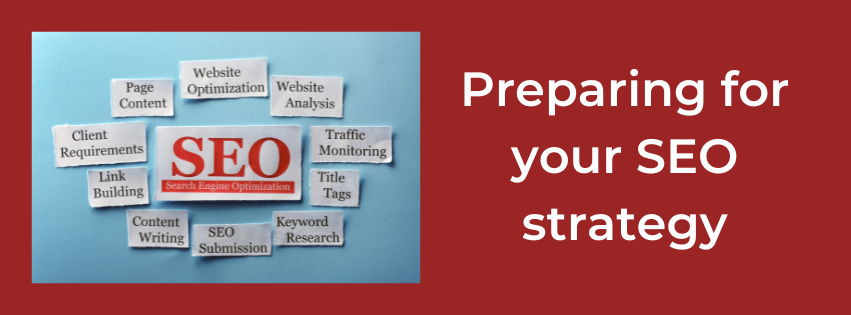
Preparing for your SEO strategy  

Whether you have a small business or are part of a bigger corporate, SEO (Search Engine Optimization) is a must for your website to help you rank higher on Google and other search engines.

Building your SEO strategy sounds complicated and may make you want to immediately zone out and not read more – but trust me, I’m going to try and keep it simple! It’s really just a plan!

Your SEO strategy is simply the process of organising your website’s content to improve your chances of appearing in search results – a way of maximising your opportunities to get organic traffic from search engine results pages, (SERPs).

Having a strategy or plan, helps you keep on track when you create your content. It helps you see that you need to create content that people are looking for and searching for, rather than creating content you think they’re looking for, or posting what you want to post.

When you just react and post without a plan, your content will appear unorganised and scattered – this is when search engine bots have a problem indexing your site, understanding exactly what you do and therefore, have a problem ranking your pages.

BUT WE CAN FIX THIS! However, as it’s such a big subject, I’m going to do this over a few blog posts, so you don’t feel too overwhelmed!

Steps to helping create an SEO strategy.

Here are few simple steps to follow:

Make a list of keywords.

This is always the first step to take. Use Google search to help you with this. OK, let’s go with an example…

You make candles – you sell them at markets and on your website – and you also use social media. You make all sorts of candles for all sorts of occasions, some standard that people can buy and some bespoke.

Your keyword search starts with Google – type in candles or put the word twice (as I did – candles candles).

Google will then suggest loads of options, such as:

  • Beeswax candles.
  • Votive candles
  • Scented candles
  • Four candles (!!! This made me smile – if you know the Two Ronnies sketch)
  • Birthday candles
  • Cake candles
  • Soy candles
  • Specialist candles
  • Candles near me

You’ll know that these are good keywords to use for SEO as they come straight from Google and so you know this is what people are already searching for.

You will find that short-tail keywords (search words using just one word – such as ‘candle’) are more popular as most people will start with just one word when looking for something specific.

Long-tail keywords (such as ‘candles for special occasions), won’t be as popular in the volume of people looking for them, but they tend to be generally easier to rank for and obviously attract people who are searching for something more specific. 

I’d say type in several different words and short phrases into Google and see what comes up – try and have a list of at least 10 keywords.

You can then check them in a keyword checker (there are some free sites out there, such as  https://www.wordstream.com/keywords or Ubersuggest) which will give you the number of people searching that keyword and whether they’re low, medium or high volume.  

Look at Google’s first page.

Once you’ve got your list of keywords, type them one at a time into Google search and look at the first 10 entries that come up.  This shows you the businesses that currently rank for that keyword, and the kind of thing (maybe a list or a business itself) that people are looking for when using that keyword. Make a note of what comes up in the search and what kind of things, such as lists or blog posts that come up.

Analyse your competitors. 

Most of us will know who our main competitors are, but to find out who Google thinks your competitors are, you can use a free tool, such as Semrush, to help you. You simply type the URL of your website into their search, then click on ‘Domain overview’ and scroll down where you’ll find a further search called ‘Main organic competitors.’ If you click on this and then click on ‘view all,’ you will get loads of information about keywords. It will show a list of all your competitors, plus the most common keywords that you share, as well as telling you how much traffic those keywords pull in.

Where you see a lot of common keywords, you’ll have your list of at least 4-5 competitors.

Keyword gap

You can now use the Semrush ‘Keyword Gap Tool.

The ‘gap’ refers to the keywords that your competitors are ranking for, but that you’re NOT ranking for.

This tool will help you identify those gaps, so you can then use them on your website or blog, therefore optimising your existing content with those keywords – or creating new pages to use them.

To use this tool, you simply put the URL of your website and then the URLs of four of your competitors and press ‘compare’ and scroll down to ‘all keywords details for…’ and click on the ‘missing’ tab. You’ll get a huge list and then it’s up to you to sort through which of those missing keywords would be relevant to your business and to your website. 

There are lots of other uses that Semrush can help you with in analysing your competitors and your website, so it’s worth going on and having a play – and it’s really interesting!

These are the first few steps for SEO and will help get you prepared to look at your SEO strategy. Next time we’ll look at how to use this new-found knowledge to help you rank on Google.

If this all feels a bit too overwhelming, I can help you with your SEO strategy through 1:1 coaching. Just contact me to find out more.

Hard skills vs soft skills of a marketer

As someone who does all the marketing for my business, I know there are many skills that marketers need. There are hard skills, which are more the technical and analytical side, and soft skills, the more creative, collaborative side.

Marketing Skills

Hard skills

Let’s take a look at the hard skills first.

Analytics

Analytics is about finding your way around the large sets of data, to help you interpret your audience’s behaviour, look at the performance of campaigns and measure the ROI (return on yours or your customer’s investment).

When working with content creation and product marketing, it’s imperative to be able to measure what you do and whether it’s having the desired outcome and impact on your target audience. Marketers with excellent hard skills like this are very sought after in both corporate and retail companies, as well as the smaller businesses.

There are several tools you can use to measure data, such as google analytics, and if you are a social media manager, using the insights on the pages you manage is invaluable.

Content Strategy

Content Strategy

If you are into content creation, then content marketing and a strategy is a fundamental part of your job. Here are a few statistics that illustrate the importance of content creation and content marketing.

  • 47% of B2B buyers consume three to five pieces of content before engaging with brand.  Source
  • 84% of people expect brands to produce content. Source
  • 91% of B2B marketers say that they use content marketing in their strategies. Source

So, you can see that content creation is a very valued skill. Content isn’t just about making a few pretty images, it’s about the sales pitch or the caption that is written to go along with the images you curate. Some social media channels require a short and concise caption, whilst others, such as Instagram, can be longer and more detailed.

Content creation also includes things like blog posts, articles, eBooks, emails and other written materials. Effective writing skills are very sought after and not something that can be automated. It’s a very human skill and crucial if you are a marketer.

Social Media

Most businesses use social media platforms to advertise their products or services and to put their brand out there. Over the past 10 years, social media has transformed the way that people interact with brands online and also the way that marketers communicate with target audiences.

All social media platforms have measurement tools to help you get to know the audience that follows you, likes and comments on your posts and generally engages with your business and brand. A social media content strategy will include setting goals for your business, based on social media posts and campaigns.

SEO (Search Engine Optimisation)

There are literally billions of people interacting online at any one time during the day or night. Most of us look first to the internet if we want to buy something and even look at reviews of products or services before we even press that ‘buy now’ button. But how do they find what they’re looking for? That’s where SEO comes in.

If you’re a marketer, you need to at least have a fundamental understanding of SEO, so you can be sure that your business, or your customers’ business, is found online. This includes keywords and phrases to help Google find your business, when someone types into the Google search bar.   

SEO doesn’t just apply to websites and social media, it’s also vital to ensure that anything you post is optimised for mobile users as well as desktop, tablet or iPad users. Most website hosts do this for you, but it’s always worth checking that your content looks good on a mobile as that’s where most people do their searches.

Technology

Technology

This is kind of linked to analytics, but what I’m getting at here is actual technology, such as the tools and platforms that you might use to promote your business or help you manage your business. For example, if you send out a regular email or newsletter, the General Data Protection Regulations, (GDPR) states that you must get customers to opt-in to your emails – you can’t send them anything without their express permission. And the easiest way to do this is by setting up your opt-in on a platform, such as Convertkit, MailChimp or Mailerlite, which are the three platforms I use for my clients. When you set up your subscription opt-in on these platforms, they automatically ask the right questions so you are compliant with GDPR – they also give your customers the option to unsubscribe to your newsletter or email via a button at the bottom of each email that goes out – which keeps you compliant with the rules and regulations.     

SOFT SKILLS

Soft skills are the more creative and collaborative side of marketing, probably the bit that most marketers love – well I do!

As well as creativity etc., soft skills also include many different attributes, such as honesty, leadership, a good work ethic, time management – skills that are very difficult to quantify.

Here are some of the top soft skills.

Creativity

Creativity

This includes bringing new ideas and interpretation to common problems, and how to solve them using the written word.

Flexibility

Marketing means you have to be flexible – there are always new tasks to take on and new responsibilities constantly pop up. Very often, what you started off doing a few months ago for a client, will look very different 6 months down the line. You have to constantly be on top of new ways of doing things and you often have to hit the ground running with new platforms etc.

Resourcefulness and Adaptability

A resourceful marketer uses all the tools available to her, to find the most appropriate one for each customer or business. It’s also important to be on top of the analytics to help make that informed decision.

Marketers have to learn as much as they can about target audiences, in order to be able to make decisions about the way to market a product or service. Intuition and adaptability plays a big part here and covers things like quick decision making, keeping calm under pressure or going against the norm to achieve success for your clients.

Adaptability also means that you’re able to change plans at the drop of a hat and tackle new challenges with determination and vigour.  

Collaboration

You might work for a small business or a large corporation on their marketing. Whichever it is for you, collaboration will be a big part of everything you do. You need to build good, strong relationships with your clients and with other people who work for that client or company too. For example, you might be asked to do email marketing or write a regular blog post, and your client may already have a social media manager. You will definitely need to collaborate so that the social media marketing takes into account the emails or blog posts you write – and that subject matter is consistent with the overall marketing plan or strategy. 

Leadership

Leadership

Leadership is the last point I’m going to cover, but a crucially important one. So, what is leadership? It’s about having the ability to keep a good group dynamic, be able to lead a team with compassion, and inspire your team with your business insights, experience and innovation.

It’s also about being able to assess situations and defuse anything that could get out of hand. A leader will usually drive any collaborations, adapt to new technology and lead the marketing strategy in the best way possible.

A leader will need to know the customer or target audience inside out. What they like, don’t like, making sure that everything that’s done or suggested has the customer at the heart of everything. Are their problems being solved? What makes them happy? What makes them tick?

Marketing is something that never goes away. No matter whether your business is small (or just you!), or whether you own a multi-million organisation, marketing is the key to getting your products and services in front of your target audience. It’s not something that you can wing and hope it works – it needs to be carefully planned, organised and executed with a sound strategy.

If you’d like help to build your marketing strategy, find out who your target audience is and how to reach them, but don’t know how, drop me a mail and I can help.

cindymobey@outlook.com

Hashtags FAQ

If you run your own small business, you probably use social media sites to promote your products or services. We all know that Search Engine Optimization (SEO) is important in promoting your website and blog content, but what about HASHTAGS? Do they help?

What are hashtags?

Originally hashtags were used to help filter and organise conversations on Twitter, but they are now used on all social media platforms. A hashtag is the sign # followed by a phrase such as marketing, so would be #marketing. It’s a category that posts relating to that subject can be streamed into; anyone can use it for their content, be it a blog post, Instagram or Facebook post.

How can I use hashtags on social media?

A really easy way to get started is by using popular hashtags. One hashtag that I see regularly on Facebook and Instagram is #throwbackthursday or #tbt. This is used as a weekly theme by some Facebook groups where people and brands share posts, or experiences from the past. For example, they may post their first ever product.

There are different hashtags depending on what niche your business is in. For example if you are in the fitness business, you might use #fitnesstips #fitinspiration or #gymspiration to name a few….or if you are in marketing, you could use #marketingtips #marketingstrategy. There are thousands to choose from and research on what are the best hashtags for you to use for your business is crucial. If you go into Instagram and click on the search icon, you can type in a hashtag you think would suit your business – for me it might be #marketingtips. Then that hashtag group comes up, with hundreds of the most popular posts that have used that particular hashtag. Doing your research in this way can help you to decide which hashtags to use (if you are a small business with a small to moderate following, you don’t want to use a hashtag that has over a million posts, as your post is unlikely to be ranked under that hashtag. I try to stick to a variety, some that are under 50k – some 50k-100k – some 100k-500k and then others that are over 500k posts up to 1 million.

How many hashtags should I use?

How many you use depends on what social media platform you are posting on.

  • X (formerly Twitter) allows space for hashtags, but advise using no more than two.
  • Facebook advises using between three and five.
  • Instagram – you can use up to 30 hashtags, but most accounts use around the 10 mark. It’s up to you – I tend to stick to between 3 and 5.
  • TikTok don’t really advise hashtags as they can look spammy, but if you do, no more than three to five – but they should be used with purpose.
  • LinkedIn advises a maximum of three per post.
  • Pinterest state you can use up to 20 hashtags per Pin description, but it is advisable to use no more than 10.

So what do hashtags do for my business?

Hashtags are a great way to build your brand, boost a marketing campaign or sales campaign, and launch a competition or to just keep in touch with your target audience.

Using hashtags on Instagram and Facebook can really increase awareness of your business and engagement with you and your products/services.

They are an effective way to build your brand, for example use them to launch new products/services, share your promotional material or for just generating interest in what you do.

Hashtags are also great for creating a buzz with your website, spreading news and information about new products, events that you’re involved in or just creating hype for your business.

How do I find the right hashtag words?

It really is as simple as putting a search into Google. Just type in ‘popular hashtags for XXXXX’ whatever business you’re in – fitness, food, crafts, artist, and so on… a list of hashtags will come up. If you are using them on Instagram, as soon as you type the first hashtag, you will also see a list of other similar tags which you can also use. Try and avoid really long hashtags. When writing posts using hashtags, don’t forget to put links to your website as this will encourage more traffic.

Can hashtags help me find my target audience?

Yes, they can! For the purpose of this question, I’m going to talk about Instagram.

When you’re posting for your particular niche or business, you need to find the keywords that will be specific to your business. So, a generic term like ‘photographer’ or ‘blogger’ just won’t cut the mustard. You need people to be able to find out more about you, so for example on my Instagram account, I will post #marketingincharente as I am a Marketing Consultant and I live in the Charente…you get the idea! Or if you are a café, you could specify something on your menu, #fullenglishbreakfast and maybe the town you’re in. It’s more specific.

Being specific is what will help your target audience find you.

How should I use my hashtags?

Use a mix of hashtags on your posts to give yourself the best chance of being discovered and getting ranked on that particular hashtag. Here are some examples of the kinds of hashtag categories you can use:

  • Your industry – #smallbusiness #handmadebusiness
  • What you sell – #candles #babyclothes #smallbizmarketing
  • Your specialty – #vegancandles #naturalfabrics #marketingtips
  • Who wants to buy – #homedecor #babyshower #socialmediastrategy
  • Location – #candleslondon #babyclothesuk #marketingcharente
  • Event hashtags – #mothersday
  • Daily hashtags – #manicmonday #throwbackthursday

    The reason you use all these different types of hashtags is to keep your content in view for as long as possible. The most popular will bring a brief flurry of activity, then the moderately popular hashtags will kick in and your content will stay active on those for a few hours. Then your more niche specific hashtags will be noticed.

    Of course, you will also receive activity from your followers, so you are still reaching out to your existing potential customers, as well as new ones.

    Can I set up my own hashtag?

    The simple answer is ‘yes, you can!’

    But, there is a but! You cannot legally own a hashtag. If you find one that hasn’t been used, which will take a lot of research, you can register it. However, even registering the hashtag will not stop other people from using it – it’s not like owning a website domain. Registering just means you’ve staked a claim to that hashtag and adds you to the hashtag directory, where you can go into a bit more detail as to what the hashtag is for…you can write a description.

    How do I register my hashtag? 

    Once you have found a new hashtag relevant to your business, you can register it on sites like Hashtags.org

    As soon as you have registered it, use your hashtag ALL THE TIME! Use it a lot…as much as you can! At first you will be the only one using it, but after time you will find others using it for articles, posts or blogs that talk about the same subject.

    Do hashtags help with SEO?   

    Again, the simple answer is ‘yes’. Hashtags are basically keywords, so they help you to categorise your content and help social media users to find it. Using hashtags in your social media posts will give you more opportunities to have your content in Google search results.

    Finally, just be aware that hashtag use varies greatly with each social media platform so you need to be mindful of which platform you’re on!

    Happy Hashtag Hunting! Let me know how you get on, and if you find hashtag research all a bit overwhelming, give me a shout and I can help you with your hashtag strategy.

    Improve the on-page SEO on your website

    SEO

    Search Engine Optimization (SEO) is a term that refers to the way you can increase the traffic to your website. SEO involves making sure that the content you are publishing is rich in relevant keywords and phrases…and the way you organise headings, subheads, bullet points etc.

    In simple terms, it’s the name given to the activity that endeavours to improve search engine ranking, in order for more people to come to your website and engage in your content.

    On-page SEO

    When you search for something on Google, you expect to find it almost instantly from the search results that appear. If you’ve asked a question, you expect that question to be answered in a few seconds. So, as a crafter of content, you want to help the person searching for your subject matter find it quickly and for it to be relevant and answer their search. Those of us who write content use many different types of websites, but no matter whether you use WordPress, GoDaddy, Wix or whatever, the subject matter/page layout is pretty much the same. Here’s a few hints and tips on how to improve the SEO on your website…

    Create good title tags and meta descriptions

    Title Tags

    Title tags and meta descriptions are bits of HTML code in the header of a web page. When someone searches for a particular subject or asks a question on a search engine, search-engine-optimization-2613846_640the title tags and meta descriptions help the search engine understand the content of that page and the title tag and meta description is what is shown in blue link in the search results.

    The title tag is what it says on the tin – the title element of a web page/ blog post that summarises the content of that page or post. Search engines expect the title tag to show relevant keywords and phrases that describe what your page/post is about. If Google doesn’t think the title is relevant for the page, it can choose to show a different title instead. So ensure that your title tags on your pages/posts show an accurate, compelling and succinct summary of what that particular page/post is about.

    Tips for writing title tags   

    • The title MUST be absolutely and positively relevant to the content it describes on that page
    • Put important keywords/phrases at the front of the title tag to make them ‘pop-out’
    • Be natural – avoid keyword stuffing
    • seo-896175_640Every page on your website needs a unique title tag – avoid duplication
    • If you can fit it in, get your brand name at the end of the title tag – but it’s more important to get your message across first!
    • Keep the title tag to between 60-64 characters – any longer and it will be cut off and will just show an ellipsis “….”
    • Your title tag needs to entice readers in, so it should be eye-catching, exciting, compelling…make your reader want to find out more

    Meta description or Meta tags

    The title tag is limited, short and sweet, but a meta description (or meta tag as they’re also called) gives you more space to tell people what it is you’re offering – and to create a convincing and persuasive reason to click through to your website or blog.

    So how to make that description compelling?

    • Focus on the positives of clicking to your page – use words like ‘your’ and ‘you’ to make it more personal
    • Include any special offers or incentives you might have
    • Encourage the person searching to take action now! Create a sense of urgency
    • Use emotional and psychological triggers

    Tips for writing meta descriptions/meta tags

    • Make sure you have unique descriptions for every page on your website
    • Use relevant keywords and phrases – relevant being important here as your description needs to match what the page or post is about.
    • Don’t give away too much, just a teaser to explain what the page is about – tickle the reader’s curiosity!
    • Include a call to action…of course (!)…so your reader knows exactly what they need to do next and what’s in it for them.
    • Keep your meta description to around 150 characters. If you make them too long, search engines will cut off the end of your sentence.

    Title tags and meta descriptions don’t play a direct role in helping you get your site to rank higher in search engines, but they are very important for reader engagement and for getting those readers to click through to your website.

    Categories and Tags

    What is the difference between categories and tags on a blog post?

    What are they? How do you use them? Why are they so important?

    There is quite a clear difference between tags and categories, but it’s very easy for users to get them muddled up. To be fair, in most instances it won’t matter for the end user, but here is a brief overview…

    Categories

    seo-592740_640As a general rule, you would use Categories to group the content on your website or blog into eight to ten segments. For example on my blog, some of the categories are Marketing, Small business tips, SEO, Customer Service.

    You should aim for at least one category per post. If you forget to add one, it often defaults to ‘uncategorized’, which you really don’t want! It doesn’t make sense to your readers and looks unprofessional.

    Tags

    A Tag describes a blog post in more detail. So, for example, this blog post – I will use the word ‘tags and categories’ as one of my tags! Although Categories are important to have, you don’t need to have any tags at all if you don’t want to. I like to use them as it gives another way for my blogs to be seen by my targeted audience.

    Alt Tags   

    An Alt Tag is the name given to the labelling of an image on a website. If you hover your mouse over an image and the image has an alt tag, it will appear. It’s a very good idea to do this as search engines can’t see pictures or photos, so unless you tag them with a keyword or two, the search engine won’t display them to people search for that kind of image or keyword. This really helps with your SEO

    Use the right URL to optimise SEO     

    webinar-4216601_640A URL is your web address, for example, https://cindyfreelancewriter.com/

    It identifies your website and gives a little bit of information about what you do or what your site is about. It is a very minor ranking factor for search engines, but if your URL contains a keyword, it can improve your site’s visibility. So, definitely worth a brief mention!

    Have clear headings on your pages    

    The main heading on each of your pages tells your readers, (and search engines), what the page is about.

    Go through your website/blog site and look at all your headings – are they clear and to the point – do they match what the page is actually about? There is nothing more annoying than thinking you have found exactly what you’re looking for, only to realise that the heading doesn’t match the content.

    Do include keywords, but be natural about it and avoid keyword stuffing.

    Have quality content 

    This goes without saying really. Look at all the content on your pages – does it match the heading? Have you covered everything your readers will be looking for from the heading? Does it include all the relevant keywords and their variations that you can think of and find?

    Does it solve a problem for your reader? Does it address a common problem? Is it well written, so as to encourage engagement and is it a compelling read? Have a look at what your competitors do – now you know a bit more about structure, look at the way they include keywords, address problems, how they rank on Google.

    Can you do better? Now’s the time to take action. Have a good look at your website pages and blog pages/posts and see where you can start making improvements.