
You’ve worked hard to get your website up and running and have done everything you can to make sure it includes keywords; the right SEO and you launch – then hear crickets! There is nothing more frustrating, but just like you have to drive traffic to your online shop with a provider, or to your blog, you also must drive traffic to your website. A website, especially a new one, won’t just magically appear on the first page of a google search.
Driving traffic to your website with content
I know that this is probably startlingly obvious, but you can’t get website traffic without content. It is the absolute cornerstone of every other strategy to drive traffic. So, how do you do this?
Have a blog.
I know that this seems like a bit of a pain in the wotsit, but it really does help get people to your website. A blog is where you regularly publish useful content for your audience. No matter what business you are, a blog is a useful tool and there is always something to write about.
It’s been found that businesses that use a blog get on average 55% more website visitors than those that don’t.
Blog ideas could be:
- A tutorial on how to do something
- Talk about a particular product or service you offer with details of the benefits to your audience
- You could use it to tell your story or let your audience know more about you and your business
- Behind the scenes
- FAQs
- How customers use your products or service with testimonials to prove a point
- Interview someone – maybe a customer about why they love your products or services
- Educate your audience on what you do or an aspect of what you do
- Publish a gift guide on your blog highlighting your products – if you offer gift wrapping, talk about this, and give lots of examples and photos
These are just a few ideas but shows that there are lots of different ways to blog.
Have a good ‘hook’ – headline to draw your audience in – A headline that pulls your audience in is an important part of your content.
Invite someone else to write a guest blog on your site – this can work well with someone who does something similar to you, but in a different way. They will then share their guest blog, which could bring new readers to yours and to your website.
Just ensure that you give them guidelines as you don’t want a blog post that is unethical, gives too many spammy links (which could damage your brand) and make sure that the information they give is high quality and original.
A picture tells a thousand words!
I’ve written a whole blog post on this subject, but good visuals are a must to create charts, graphs, lovely images etc. And don’t forget to put text behind or under the photo to describe it. That helps your SEO.
In much the same say as images, video can really attract visitors to your website and keep them engaged.
If you use YouTube, you can put the link to your website from your YouTube videos in the video description. And in your video, use a call to action in your narrative to point your audience to your website.
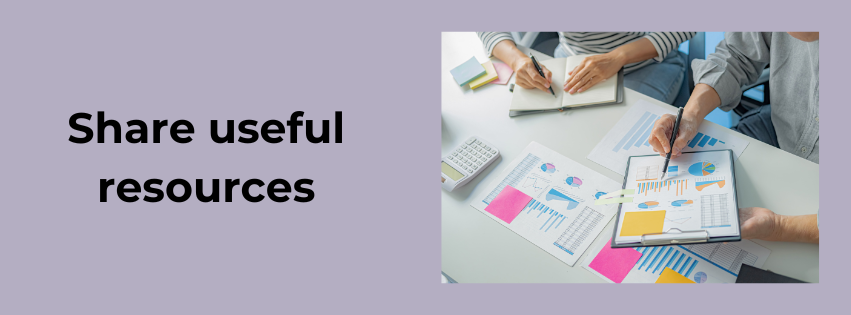
Give your readers useful resources.
This won’t necessarily be relevant to all businesses, but it’s useful to have a resource centre on your website. I have a ‘free resources’ tab on my website and have a load of free downloads to help small businesses. All I ask in return, is that you sign up to my newsletter, then you get a password to get access to the resources.
Resources can be checklists, downloadable guides, how to tutorials, videos, templates, webinars – there are loads of things you can put to help people. What you use for your resources will depend on what you do. A resource centre will encourage people to return to your website over and over again.
Increase traffic with SEO.
Again, I have written several blog posts to help with SEO, but SEO is what helps people find your site in the first place. Here are just some of the basics…
- Keywords – words and/or phrases that people will type into a search engine. If your website includes the search words people use, it is more likely you will be found. Be aware though, this does take time if your website is new. You can use keyword research tools to help you with this. The Google Keyword planner is a great help for this. You’ll find that there are keywords that have a higher search volume which can make your website harder to rank for, so it’s about striking a happy balance.
- Long-tail keywords tend to be easier to rank for – as the name suggests, this is more of a phrase rather than just one word. For example, I will tag this blog post with the long-tail keyword ‘Drive traffic to your website’ and ‘How to drive traffic to your website.’
- Strategic keywords – The next thing to think about is WHERE to put your keywords. Ensure your target keyword is in your title tag, headings, naturally in the body of your article and always within the first 100 words of the text. And don’t forget image keywords in alt text. And if you can, also put it in the meta description (the short description that Google shows along with your title when your article comes up in a search).
Internal links
This is something that is easy to forget when you’re on a roll with writing but try and add at least 1-3 links to other pages on your website, so you keep your readers on your website for longer, which will help with your ranking.
Page speed
This is important as when someone lands on your website, they don’t want to wait for everything to load in order to see your content. I know that I won’t wait for long if a website is slow.
Make sure that your image sizes are not huge as this slows everything up and ensure that all your plug-ins are working properly.
There is a Google Page Speed Insights tool which can give you a score on your site’s performance and provide suggestions.
Mobile-friendly
Most visitors to your website will view your site on a mobile phone, so make sure that your website/blog posts are optimised for mobile use. There’s usually a little button when you go into your website’s dashboard so you can check this.
Refresh your content regularly.
Keep your content fresh by updating it regularly. This might be updating your shop contents or changing some of the wording on your homepage or about page. If you do publish blogs, publish them regularly and consistently – and if your blog post is old, ensure that you update it with relevant facts, figures, and dates!
No matter whether your website ranks on the first page of Google or not, a refresh of content can make all the difference to traffic. You can do this by updating images, ensuring that links are working, adding new keywords, and tweaking words in your meta description every now and again, or updating your product descriptions.
Have a Google Business Profile
A Google Business Profile will really help you get local traffic to your website, so this is a no-brainer. Just like a social media site, although easier, you can add new photos and publish a blog post or update with a photo and text to keep it up to date. Feel free to message me about this if you need more help.

Increasing website traffic using social media
Now you’ve dealt with your website and getting that all up to date and sorted for being found, now it’s time to look at how you can increase your traffic using social media.
Promote your content in social media posts.
As I’ve already said, you can’t just publish something and hope that it’s found. You need to tell people it’s there. Whether you use Facebook, Instagram, X, Pinterest etc, when you publish content, give the link to your website. People who come from another source, other you’re your website are called ‘backlinks,’ and this is a great way for search engines to recognise that your content is valued and being looked for.
For example, you’re launching a new product – give the link to your new product in your shop, so your audience knows where they can buy it. Add your website to your bio so it’s obvious you have one!
If you have a blog or a newsletter, publicise this on your social media sites – people won’t know you have either if you don’t tell them, but don’t overdo this – as with everything, in moderation. I publish a blog post every week and use social media to tell people about it. I also have a newsletter which I publicise every month, either in stories or a post.
Add hashtags – If the social media site you use is hashtag-friendly, such as Instagram, LinkedIn, Facebook, include relevant hashtags to help the reach of your posts. Make sure the hashtags you use aren’t always the same – they need to relevant to the subject your post talks about.
Ensure that your website has your social media share buttons, so visitors know you are on social media and which social media sites you are on.
Post at the right time – your insights can help you find out the times of the day and week that you are likely to get most engagement from your social media posts. I’ve tried all sorts of times and find the best for me is very early in the morning as the majority of my target audience tend to be online first thing. I also network first thing – and again for an hour at lunchtime (which other businesses see and sometimes will return the favour and look at my post) – and I do it again in the evening, which is where I sometimes end up having conversations. You have to work out what works best for you and your business.
Facebook groups – if you belong to any Facebook groups, this is also a good way to get yourself known and there will be opportunities to talk about what you do and publish your website URL. Some groups have specific days of the week when you can do this – just be aware of the groups’ rules and regulations to ensure you don’t get banned from a group by violating their rules.
You can also start your own Facebook group and build your own community.
Business directories
There are usually free business directories in your area where you can add a short description of your business and give your website address. Some let you add photos and a bigger description. It’s definitely worth researching these to find what is available locally to you.

Set up an email newsletter.
I have other blog posts in more detail about this, but an email newsletter is invaluable to your business. People sign up to your email because they want to, so you have a captive audience. You can use your newsletter to promote your website, your products, or services, give news to your subscribers, talk about any events you’ll be attending, give news about any webinars you’re hosting, or point them to your social media sites. Love your subscribers and give them value and they will want to keep coming back for more. You can read more about newsletters here.
Other ways to increase your website traffic.
There are other ways to increase your website traffic, which includes:
- Host an online webinar – people love to learn, and webinars are a great way to reach your target audience and give them free information. You can also upgrade to do paid online webinars once you are getting known.
- Participate in forums – answer questions and share your knowledge.
- Attend a conference or convention – there is usually a cost involved in this, but they can be very worthwhile – and you will engage with other like-minded people.
- Join a networking group or event – these are still out there as a face-to-face event – this can help you get your business name out there and to meet other businesses.
- Have a stall at a market or event – if you are product-based, this is a great place to give people details of your website. You’re missing a trick if you don’t add a business card with your website details with everything you sell. And have a stock of your cards on display, so people who don’t buy can take one – they may contact you later.
- Use paid advertising to promote your business, or if you are promoting a specific event, such as a webinar you’re hosting.
I appreciate that this has been a long blog post, but I hope that it helps you find out a bit more about driving traffic to your website in a variety of ways. As always, feel free to contact me if you have any questions. And check out my website for more details about the services I offer!
 The Write Way