
Using social media to help promote your small business is a given. It is something that businesses automatically know they need to do to be visible online.
What’s the difference between SEO strategy and social media?
SEO (search engine optimization) is a factor in helping your social media strategy, but there is a difference between social media management and SEO. Social media management is about posting, promoting, and optimizing content on your social media channels, whereas SEO strategy is about ensuring that your social media content or website content is more searchable, so when people search particular words or phrases, your business is found.
But they have one thing in common – both require content to attract an audience. Just like email, SEO strategy and Social Media Management are all tools to reach your target audience.
It used to be that that these two things were miles apart, but in 2024 this line is becoming more blurred. With an estimated 4.6 billion people using social media in 2023, (Source – Forbes – https://www.forbes.com/advisor/in/business/social-media-statistics/ ) social media is crucial for businesses and has changed the face of information sharing, communication and audience interaction. Social media is now influencing SEO and is absolutely necessary for a website’s visibility.
How does SEO and social media link up in 2024?
In 2024 and beyond, it’s going to be all about social media. You’ll have seen businesses that diligently post about their products and services, then they randomly post a funny cat video, and it goes viral and really pushes that brand’s visibility!
I’m not saying you should post funny cat videos (even if I do like them!), but with AI being pushed in our faces and used constantly by some businesses, SEO is not just about catching the attention of your audience or the general public, it’s about impressing those pesky bots too!
HOW DO YOU DO THAT?
Social media is becoming more acceptable to SEO guidelines as, in 2024, it’s becoming a force that helps influence your website’s search ranking.
If your social media profile is SEO optimized, this helps make your website more visible on search engines. And Facebook and other social media channels ads can also help drive traffic to your website, which helps with visibility, click-through rates, how long people spend on your website etc.
Social Media Shares
This is another example of how the search engines decide on the relevance and quality of your social media content. If your posts get shared, you’re getting more visibility on other peoples’ pages, and this shows search engines that your posts are valuable, engaging, and interesting. Although Google says that it doesn’t consider social shares etc as a direct ranking factor, but a study done by Semrush.com showed that pages with more shares DO rank higher! So, there is a link.
And it’s not just shares – likes and comments on your social media posts are also signals to search engines that a particular business has quality, valuable information to share. The search engine, Bing, are using social media signals increasingly to help them decide the relevance and popularity of a website.
Your Social Media Profile
This is where you can really improve your visibility for search engines. You need to ensure that your social media profile is SEO optimized with relevant keywords in descriptions and bios, as well as ensuring you have a link to your website, blog, or online shop.
How can you optimize your social media for SEO?
- First, do you have several social media sites…Facebook, X (formally Twitter), Instagram, Pinterest? Make sure that you have a consistent profile image, so you are more recognisable. Complete all the profile or bio section, making sure it is totally relevant to your business, whilst being attractive enough to appeal to your audience. Include a link to your website and, if you have a newsletter sign up page/opt-in or a particular product campaign on the go, you can do a link to that too. If you use a tool called https://linktr.ee/ you can put all your relevant links in the same area. This is a FREE tool, BUT, (there is a but), if you use your linktree link on your social media pages, you will be directing your traffic to that link and not directly to your website, which obviously effects your SEO. And users have to click to linktree, then click to your website, which takes longer. Some people do find this very useful, but I’ve decided to bin it for now and just link directly to my website – and I’ll be monitoring to see if there are any improvements in my website traffic. Watch this space!
- You hear this all the time, but it is so important…be consistent with your posts and post regular updates. This will be different depending on what social media site you use, for example on X you need to post several times a day, but you don’t necessarily need to do this with Facebook or LinkedIn. So, post according to guidelines for each different site.
- Create great posts. Use eye-catching images/photos that attract attention, craft a good catchy headline, and actually ASK for a share. This is good optimization, and it has been proven that these techniques work.
- The question I’ve been asked a lot lately is around the use of hashtags. Can they help with SEO? Hashtags are keywords, so yes, they can help to categorise your content and help social media users find it. But hashtag use can be different on every social media site,
- Take a good look at your website and ensure that your website content is optimized for social sharing. Here are a few tips to encourage visitors to share your content.
– Create quality content with a great headline
– Optimize content keywords
– Include eye-catching images/photos
– Make sure you have a call to action
– Add social media sharing buttons to all your content – if you make it easy for people to share your content, they are more likely to do it.
– Videos are still huge and get noticed more easily by search bots, so introduce the odd video into your content. - Don’t forget about all the above – it’s not enough to do it all and then walk away and leave your sites to their own devices. You need to constantly be there to engage with people who comment on your content – answer any queries, comment on their comments, and respond to any reviews you get. You can also connect with influencers related to your content – like and share their content, make comments on their pages. If you belong to groups relating to your niche, take part in conversations, give advice, answer questions – interact with people. Your responses and interaction help social media algorithms recognise that your content is active, which in turn, improves its reach. And KEEP POSTING – social media moves very quickly and it’s easy for posts to get lost among all the others.
The content you share on social media.
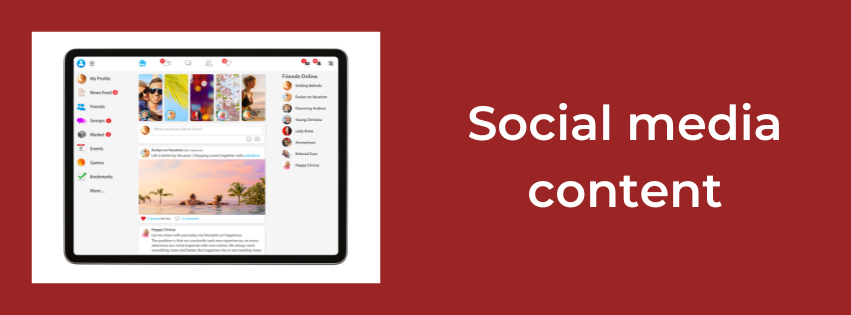
Your content needs to captivate your audience – it’s no longer enough to just constantly sell, sell, sell. Your followers will soon recognise that this is all you do and will either find it boring or will think that you are just interested in selling – not interested in them as a person. People like the personalised approach and that is why some social media pages are more popular than others. They engage, entertain, inspire, and educate their audience. The age old 80/20 rule that I often bang on about is relevant here. 80% of your posts should be in these areas and only 20% of your content in selling your products or services’.
Some of the most captivating posts now seem to be blog posts, videos, infographics, and podcasts, so if you try and include some of those in your social media posts, it will help with your visibility and popularity. When you post this kind of thing, ensure that you share the links to, for example, your website for blog posts, link to where your podcast or videos are, such as YouTube. These links help improve your traffic and increase your visibility. These are great social signals that let Google know that your social media site’s content is top quality, and therefore can enhance your search rankings.
Like everything else when running your small business, social media is a crucial part of getting your messages, services, and products out to the masses. It takes time and effort to make it successful but stick with it and it will work.
Now, please share this article if you have found it useful (!) and look at my other blog posts to find more articles to help you market your small business. As always, if you have any questions or need help, just drop me an email or a message on my Facebook page (LINK) and we can arrange a free 30-minute consultation.


 The Write Way